Start a project info@oneewaee.com

Kathmandu, Nepal

BUSINESS EMAIL & COLLABORATION

OneemailAvailable now

Business email and collaboration on your own domain.

Oneemail brings professional email and everyday teamwork into a connected business workspace. Mailbox users get the tools they need to communicate and organize work; administrators get a separate dashboard for domains, people, policies and subscriptions. Your company keeps its own identity, and your team keeps its work within reach.

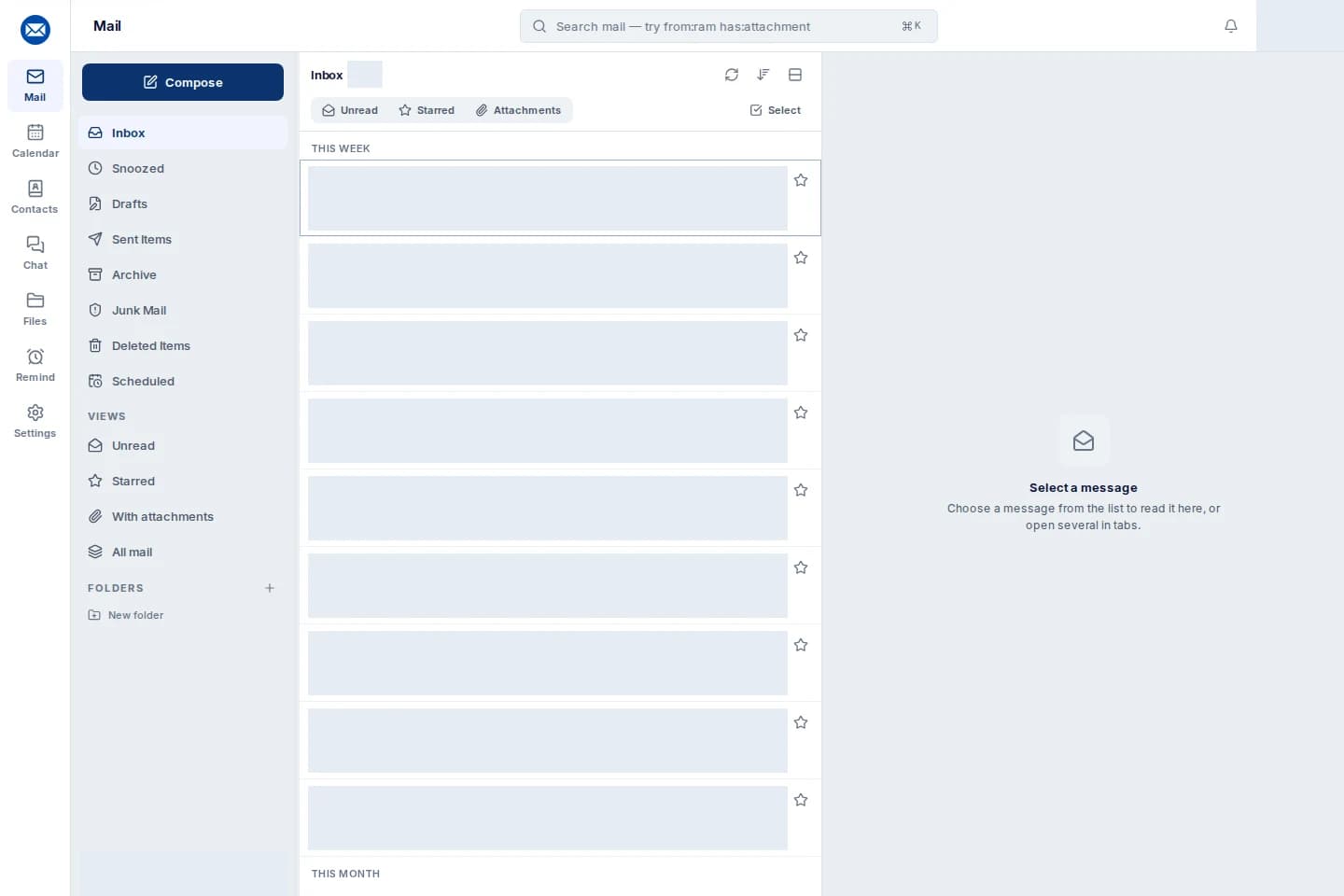
Actual Oneemail inbox with business mail navigation and reading pane. Customer messages and account details are hidden.
Built for

Organizations using their own domain

Teams moving from another mail provider

Businesses in Nepal

Administrators managing company email

PRODUCT FEATURES

What you can do with the system.

Explore the features of Oneemail and the work they help you do.

01

Business mailbox

A modern web inbox with folders, focused views, search and a reading pane. Everyday email features work alongside the rest of the workspace.

  • Rich message composition and attachments
  • Scheduled sending, snooze and follow-up reminders
  • Mailboxes, aliases and distribution groups
  • Compatible IMAP and SMTP mail clients
02

Team chat

Direct and group conversations keep internal discussion close to your mail. Chat has its own end-to-end encryption and device and membership considerations.

  • Direct and group conversations
  • Files, reactions and conversation history
  • End-to-end encrypted team chat
  • Device verification and membership-aware keys
03

Meetings and calls

Move a conversation into voice or video when talking is faster than typing. Supported screen sharing helps teams review work together.

  • Voice and video conversations
  • Direct and group calls
  • Supported screen sharing
  • Conversation membership and browser media controls
04

Calendar

Manage personal and shared schedules with recurring events and invitations. Calendar interoperability keeps compatible tools connected.

  • Personal and shared calendars
  • Event invitations and recurring schedules
  • CalDAV-compatible synchronization
  • Calendar management alongside mail
05

Contacts and directory

Keep personal contacts, shared address books and a company directory in the same workspace as the conversations they support.

  • Personal and shared address books
  • Organization directory
  • Contact import and management
  • CardDAV-compatible synchronization
06

Encrypted Drive

Give documents a managed place to live, with folders, versions and sharing controls. Mail attachments can become working files, and files can be shared back into an email.

  • Personal, company and shared file spaces
  • Viewer and Editor permissions
  • Version history and restore
  • Revocable public links with optional passwords and expiry
07

Organization management

Administrators manage the lifecycle of the email service without turning every employee into an administrator. Responsibilities can be separated across roles.

  • Domain ownership and DNS readiness checks
  • Mailbox quotas, aliases, groups and account lifecycle
  • Owner, admin, IT and billing responsibilities
  • Usage, subscriptions, policies and audit access
08

Security, migration and integrations

Prepare a move carefully, inspect delivery and security signals, and connect supported events to other systems. A migration can be reviewed before routing changes.

  • TOTP two-factor sign-in and dedicated app passwords
  • SPF, DKIM and DMARC domain authentication
  • IMAP import, review and final delta synchronization
  • Supported-plan APIs and signed webhooks with retries

BEHIND THE INTERFACE

How the system works.

01

Standards-based mail and sync

The workspace integrates JMAP-backed mail workflows, compatible IMAP/SMTP clients, and calendar and contact synchronization. Interoperability is part of the system, so the browser is one way into your mail rather than the only one.

02

Different controls for different responsibilities

Mailbox use and administrative membership are separate. The administrative dashboard excludes message bodies from its views; operational metadata and any authorized attachment-library access follow the applicable permissions and audit controls.

03

Files, storage and keys

Oneemail documents are stored encrypted using Amazon S3 and AWS KMS. Sharing, versions, scanning policies and access rules operate around that storage. Mailbox hosting in Nepal and Drive object storage are distinct parts of the architecture.

04

Encryption with clear boundaries

OpenPGP and S/MIME provide optional user-key email encryption. End-to-end sending requires compatible recipient keys and configuration. It does not automatically apply to every message or retroactively encrypt older mail.

FROM SETUP TO EVERYDAY USE

Getting started with your team.

01

Prepare the organization

Create the workspace, choose a plan, add your domain and follow the ownership and sender-authentication DNS checks.

02

Bring people and existing work

Create mailboxes and role addresses, assign administrative responsibilities, and copy existing mail from a supported source for review.

03

Switch when ready

Run a final sync, change routing after readiness checks, test delivery both ways and onboard your team on the web or compatible mail clients.

IMPORTANT DETAILS

Availability and important details.

  • Android and iPhone apps are currently listed as coming soon. Use the web workspace or a compatible mail client for available access.
  • Mailbox storage and Drive allowances are separate; confirm the actual plan and organization settings.
  • Mail data is hosted in Nepal. Drive uses encrypted AWS object storage; confirm data-location and retention requirements for the service you choose.

STRAIGHT ANSWERS

Common questions.

Can our website stay with its current host?

Yes. Domain and mail DNS setup does not require moving your website. Prepare and verify the mail records before changing the routing that handles incoming email.

Does every employee need access to the admin portal?

No. Everyday mailbox users sign in to the mail workspace. Administrative members have separate responsibilities for domains, people, security, billing and operations.

Is all email automatically end-to-end encrypted?

No. Transport protection, optional user-key mail encryption, chat encryption and encrypted file storage are different mechanisms. End-to-end email requires compatible keys and recipient setup.

EXPLORE THE IMPLEMENTATION

Explore the product and its implementation.

Capabilities are described from the product documentation and implementation work. Availability and enabled modules depend on your setup.

NEXT STEP

Talk to us about Oneemail.

Tell us about your team and the work you want to improve. We can discuss how Oneemail would be set up, which parts fit your organization and what a sensible first step looks like.

THE ONEEWAEE PRODUCT FAMILY

Keep exploring.